

Overview
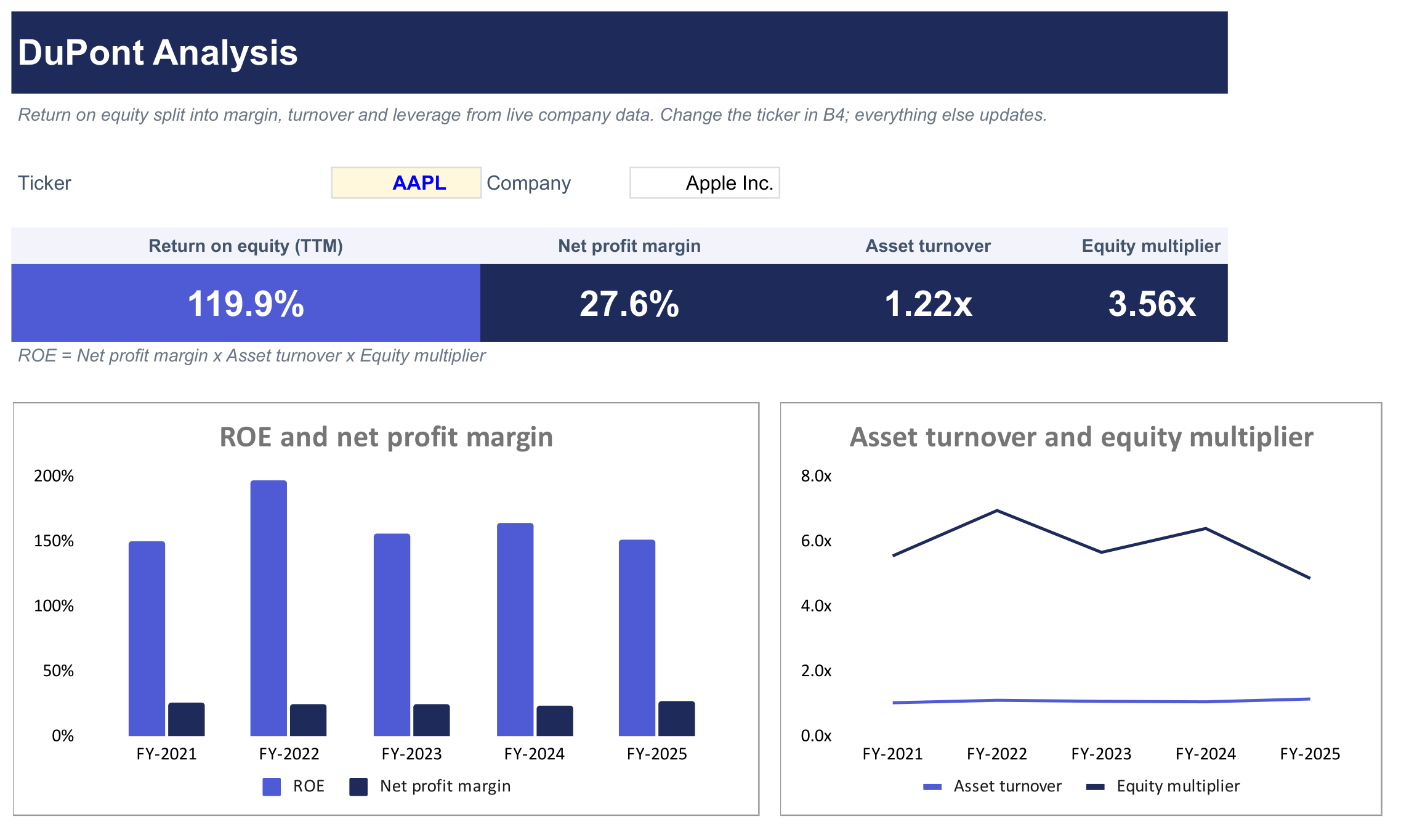
Break a company's return on equity (ROE) into its three drivers with a DuPont analysis: how much profit it keeps from each dollar of sales, how hard its assets work, and how much it relies on leverage.
What's inside
- Headline tiles: ROE, net profit margin, asset turnover and equity multiplier (TTM) for the ticker you choose.
- DuPont build: each step laid out so you can check it:
- Net profit margin (net income / revenue)
- Asset turnover (revenue / total assets)
- Equity multiplier (total assets / shareholders' equity)
- ROE as the product of the three, next to the ROE SheetsFinance reports
- 5-year history: revenue, net income, total assets, equity and the three DuPont ratios for each fiscal year.
- Charts: ROE against net profit margin, and asset turnover against the equity multiplier, over 5 years.
The only input is the ticker in the blue cell. Revenue and net income are trailing twelve months, and total assets and equity come from the latest balance sheet, so the three ratios multiply back to ROE exactly. The reported ROE can differ because it uses average rather than ending equity.
If a company has negative shareholders' equity, the template flags it, because ROE is not meaningful in that case.
For banks, revenue includes gross interest income, so net profit margin and asset turnover aren't comparable with the figures banks publish. ROE is still correct.
Good for
- Seeing whether a high ROE comes from margins, efficiency or debt
- Comparing how two companies in the same industry earn their returns
- Tracking how a company's ROE drivers have shifted over 5 years
How to use it
- Click Copy to Google Sheets to save your own copy.
- Open Extensions → SheetsFinance and make sure you're connected.
- Type a ticker such as
AAPLinto cell B4. - Read the ROE and its three drivers in the tiles, then check the steps in the DuPont build from row 26.
Functions used
The SheetsFinance functions this template is built with. Read the docs to adapt it.