
Ask AI
SheetsFinance provides AI-powered help across the documentation site and through direct assistant integrations, so you can get answers, search docs, and build spreadsheets faster.
Ask questions on the docs homepage
The docs homepage includes an AI prompt surface labeled Ask, search, or explain.... Use it to find articles, understand features, or get started with SheetsFinance without browsing manually.
Open Ask AI in Google Sheets and Excel
Ask AI runs in the SheetsFinance sidebar in both Google Sheets and Excel. Open it from the sidebar menu, or in Google Sheets also from the main Extensions menu.
Open Ask AI from the sidebar menu (Excel and Google Sheets)
Open the SheetsFinance sidebar.
Click the menu icon (three parallel lines) at the top left of the sidebar.
Click Ask AI.
Open Ask AI from the Google Sheets menu
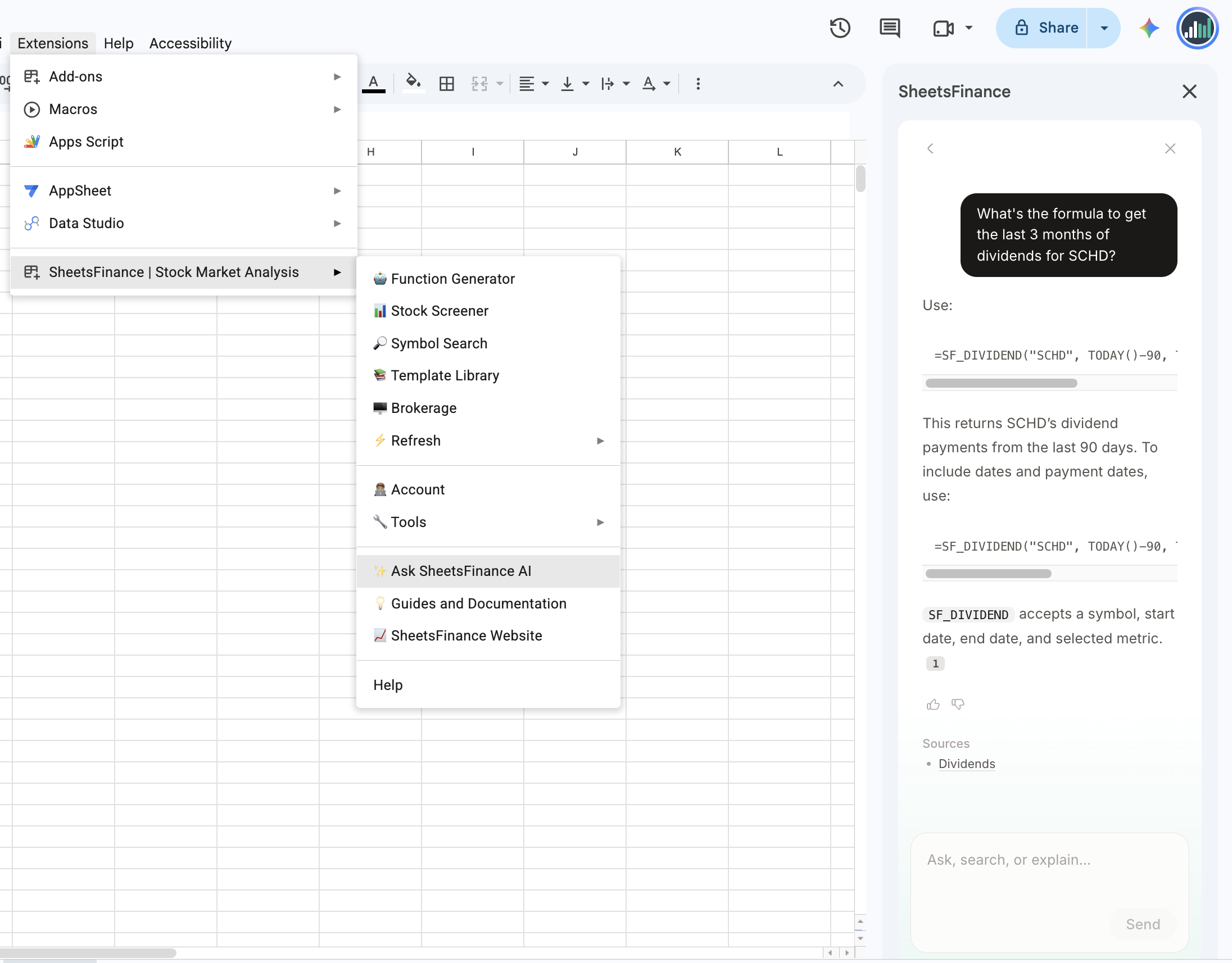
In Google Sheets, Ask AI is also listed in the main menu:
Click Extensions in the Google Sheets menu bar.
Point to SheetsFinance | Stock Market Analysis.
Click ✨ Ask SheetsFinance AI.
Get help from the chat bubble
The site includes a chat bubble in the bottom right corner. Click it to contact support and get answers to your questions.
The chat bubble is available across the site and docs, so you can reach out from any page.
Connect an AI assistant via MCP
For advanced workflows, you can connect an MCP-compatible AI assistant directly to SheetsFinance. Once connected, the assistant can search the docs, look up function syntax, and help you build formulas and dashboards.
See SheetsFinance MCP server for setup instructions.
What's next
SheetsFinance MCP server — connect Claude or another MCP-compatible assistant
Account and Pricing — manage your Connection ID and subscription