IV Rank
🚨 Important:SF_OPTIONS_PRO() requires an active Options subscription. If you don't have an active subscription, upgrade on our Pricing page.
The "ivRank"dataType returns the current implied volatility level together with one-month and one-year IV rank and percentile measures for a single symbol. If you specifically want a historical range with both tradeDate and endDate, see IV Rank Time-series. If you want to run the same request for a watchlist or symbol range, see IV Rank Batch.
For a complete function overview, parameter guide, and dataset map, see Options.
=SF_OPTIONS_PRO(symbol, "ivRank", "", "", tradeDate, endDate, metrics, options)symbolis a single ticker symbol such as"AAPL". For ranges of symbols, use IV Rank Batch.dataTypemust be"ivRank".tradeDateis optional and requests historical IV rank data when supplied. If omitted, the function returns the current IV rank snapshot. UseYYYY-MM-DDformat, an Excel date serial or Google Sheets date formatted cell.endDateis optional and can be used withtradeDatefor historical date ranges. It sets the end of the time-series and must be aftertradeDate. UseYYYY-MM-DDformat, an Excel date serial or Google Sheets date formatted cell.metricsselects which IV rank fields to return. Leave blank or use"all"to output the full dataset. Chain specific fields together with&such as"tradeDate&iv&ivRank1m&ivRank1y&ivPct1y". See the full list of available metrics in the Metrics section below.optionsallows additional output formatting or sorting options. Options can be chained together with&.
Parameters
Symbol (symbol)
Use a single underlying ticker symbol such as "AAPL". If you want to request IV Rank for a watchlist or symbol range, use IV Rank Batch.
Data Type (dataType)
Must be set to "ivRank".
Trade Date (tradeDate)
tradeDate is the historical moment-in-time date for the IV Rank snapshot. If you also supply endDate, it becomes the start date for a historical time-series range. Use YYYY-MM-DD format, an Excel date serial or Google Sheets date formatted cell.
End Date (endDate)
endDate is optional and only applies when you want a historical IV Rank range. It sets the end of the time-series and must be after tradeDate. Use YYYY-MM-DD format, an Excel date serial or Google Sheets date formatted cell. See IV Rank Time-series for more details on building historical IV Rank requests.
Metrics (metrics)
The available IV rank metrics are:
All (
"all")Ticker (
"ticker")Trade Date (
"tradeDate")IV (30 Days) (
"iv")IV Rank 1M (
"ivRank1m")IV Percentile 1M (
"ivPct1m")IV Rank 1Y (
"ivRank1y")IV Percentile 1Y (
"ivPct1y")Updated At (
"updatedAt")
Options (options)
Use options for output formatting modifiers. Chain multiple options together with &.
Formatting options:
"NH"removes the header row."-"reverses the output order.
Examples
Example 1 - Pull current IV rank metrics for one symbol
=SF_OPTIONS_PRO("AAPL", "ivRank")
Example 2 - Pull a historical IV rank for one symbol on a specific date with selected metrics
=SF_OPTIONS_PRO("AAPL", "ivRank", "", "", "2026-01-02", "", "tradeDate&iv&ivRank1y&ivPct1y")
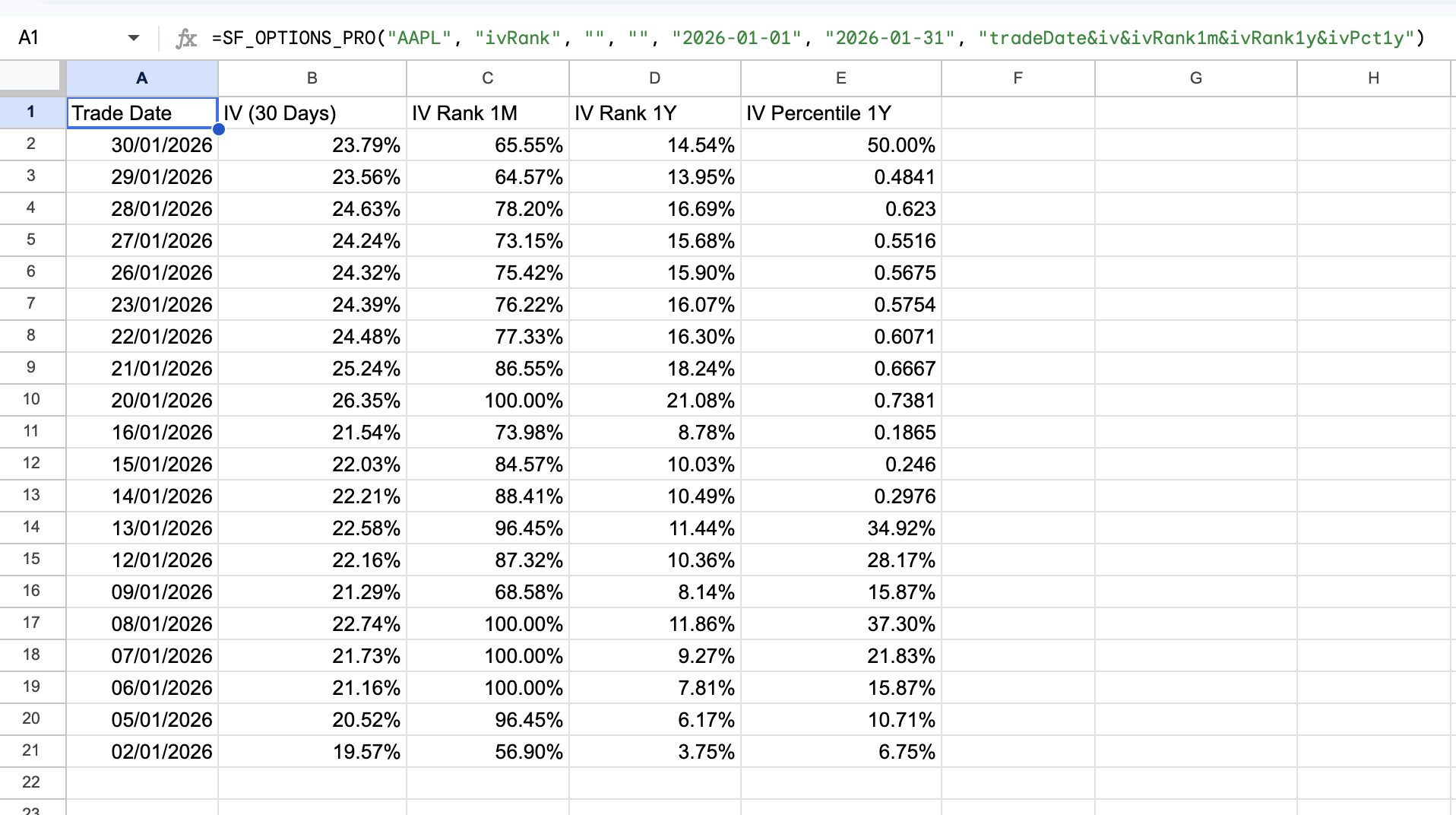
Example 3 - Pull an IV rank time-series for one symbol over a specific date range with selected metrics
See more examples of IV Rank time-series requests in the IV Rank Time-series documentation.
=SF_OPTIONS_PRO("AAPL", "ivRank", "", "", "2026-01-01", "2026-01-31", "iv&ivRank1m&ivRank1y&ivPct1y")