
Daily time series
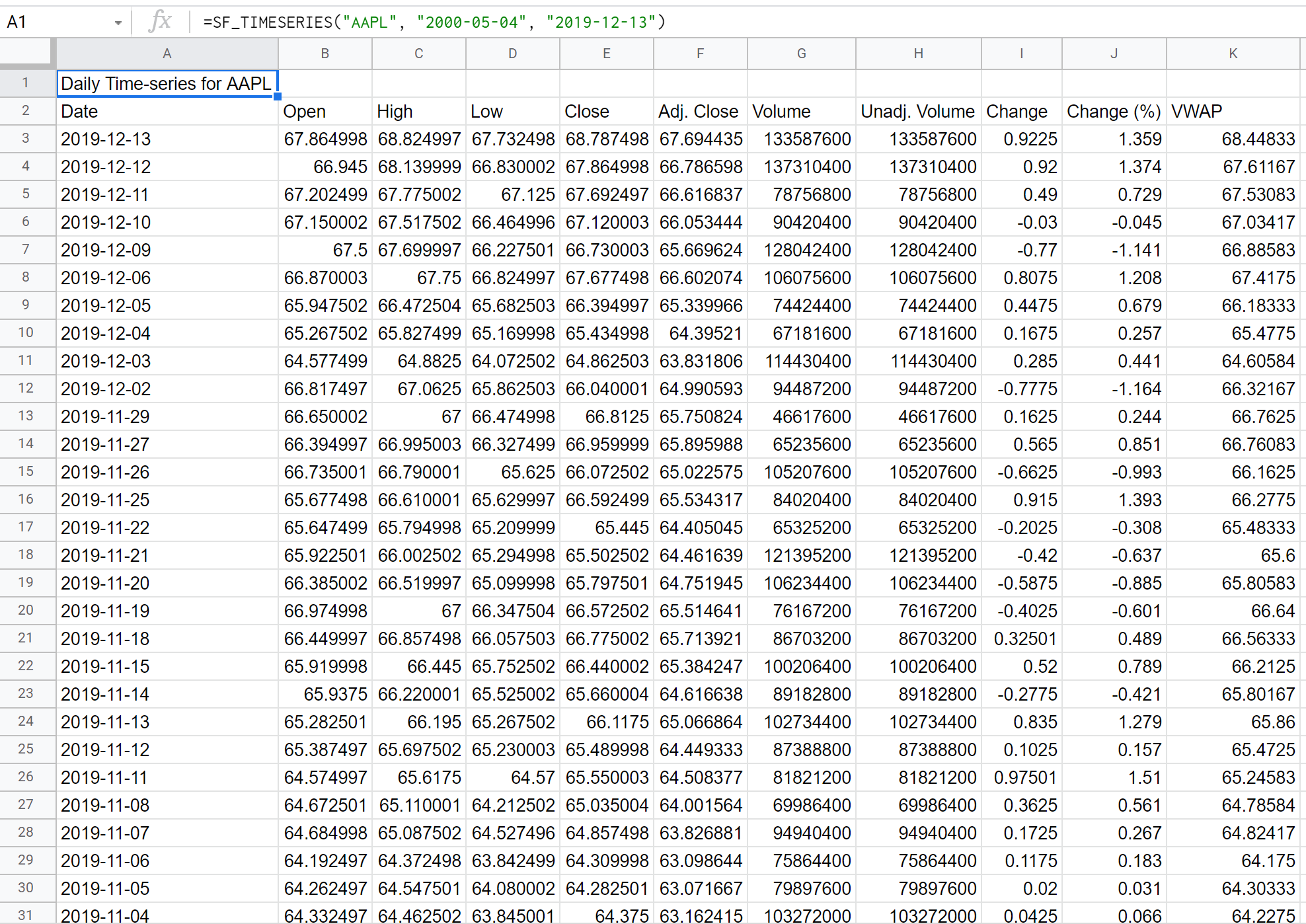
A daily time-series is the historical price performance of an asset on a daily basis between a start and end date. This is the split-adjusted price, which can be thought of as the standard chart or OHLCV for the asset. Use the SF_TIMESERIES() function with the period argument omitted, set to "" (an empty string), or set to "daily".
=SF_TIMESERIES(symbol, startDate, endDate, period, metric, options)symbolis the stock or coin ticker symbol, either as a cell reference or a string (e.g."AAPL").startDateandendDateare in ISO formatYYYY-MM-DD.periodomit this argument, set it to"", or set it to"daily"for a daily time-series.metricselects which data to return. Leave blank or use"all"to return every metric.optionsformat the output. Results are returned latest first by default. Use"-"to reverse the order so the oldest date comes first, and"NH"to remove the header row. Combine them with &, e.g."-&NH".
SheetsFinance has 30+ years of daily data available. You can enter dates directly, reference them from other cells, or use in-built functions such as TODAY() to generate a time-series relative to today's date.
=SF_TIMESERIES("AAPL", "2010-05-04", "2023-10-26", "", "all")Daily metrics
The available daily metrics are:
All (
"all")Date (
"date")Open (
"open")High (
"high")Low (
"low")Close (
"close")Adj. Close (
"adjClose")Volume (
"volume")Unadjusted Volume (
"unadjustedVolume")Change (
"change") — Close-Open Method (change = close - open)Change (%) (
"changePercent") — Close-Open Method (changePercent = (close - open) / open * 100)Change Over Time (
"changeOverTime")VWAP (
"vwap")
Chaining metrics
Chain metrics together with the & character to return only the columns you need:
=SF_TIMESERIES("AAPL", TODAY()-365, TODAY(), "", "date&open&close&volume")Formatting options
Return data oldest first and remove the header row:
=SF_TIMESERIES("AAPL", "2017-01-01", "2023-10-25", "", "date&open&close&volume", "-&NH")Sheet space: This function returns multiple rows. If any cell in the target range already contains data, you will see a #REF! error: "Array result was not expanded because it would overwrite data in XX". Clear the area before entering the function.