
ETF Sectors
The etfSectors data type returns detailed breakdown of an ETF by sector. This data type returns a multi-dimensional array of sectors and exposure percentages.
=SF(ETF, "etfSectors", "", "", options)ETFis the ticker symbol of the ETF (e.g.,"SPY"). You can use our Symbol Search to find the correct ticker symbol.optionsadjusts the formatting of the output. Set this field to"NH"for no header rows or"-"for reversed order. You can combine options with the&operator like so"NH&-".
Tips:
ETF Sectors data does not have global coverage, only selected major markets are included.
You can screen stock ticker codes and check if the stock is an ETF by using the
"isEtf"sub type of the Company Info function.
Examples
Example 1
=SF("SPY","etfSectors")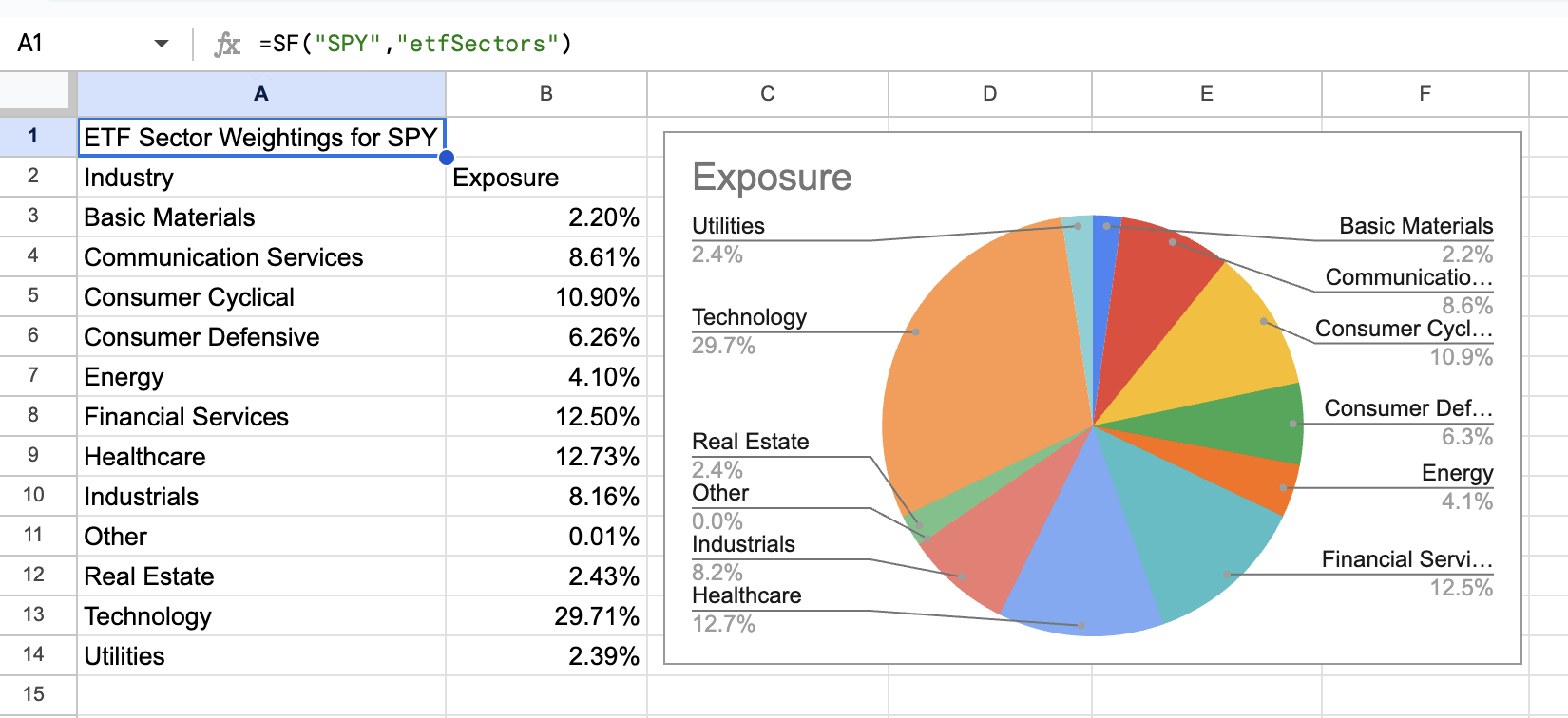
Was this helpful?
Was this helpful?