
Intra-day time series
An intra-day time series is the historical price performance of an asset at intervals less than one day. Use the SF_TIMESERIES() function and set the period argument to the desired interval, such as "1min" or "1hour".
=SF_TIMESERIES(symbol, startDate, endDate, period, metric, options)symbolis the stock or coin ticker symbol, either as a cell reference or a string (e.g."AAPL").startDateandendDateare in ISO formatYYYY-MM-DD.periodset to one of the intra-day intervals listed below.metricselects which data to return. Leave blank or use"all"to return every metric.optionsformat the output. Results are returned latest first by default. Use"-"to reverse the order so the oldest date comes first, and"NH"to remove the header row. Combine them with &, e.g."-&NH". Add"extended"to include pre-market and post-market data.
=SF_TIMESERIES("AAPL", "2023-02-01", "2023-02-25", "1hour", "all")Intra-day intervals
The supported intra-day intervals are:
1 minute (
"1min")5 minutes (
"5min")15 minutes (
"15min")30 minutes (
"30min")1 hour (
"1hour")4 hours (
"4hour")
Maximum date ranges
Intra-day time series are constrained to a maximum range of dates. If your requested range is larger than the maximum, the output will be constrained to the maximum range using the endDate as the reference (i.e. startDate will be ignored and the endDate will be the last entry).
1 minute (
"1min") — 2 trading days (3 calendar days)5 minutes (
"5min") — 7 trading days (10 calendar days)15 minutes (
"15min") — ~45 calendar days (~6 weeks)30 minutes (
"30min") — 30 calendar days1 hour (
"1hour") — ~88 calendar days4 hours (
"4hour") — ~180 calendar days
To pull more data than a single call allows, stack multiple date-range calls into one output with VSTACK. See Stack limited date ranges with VSTACK.
Intra-day metrics
The available intra-day metrics are:
All (
"all")Date (with time) (
"date")Open (
"open")High (
"high")Low (
"low")Close (
"close")Volume (
"volume")
Intra-day metrics do not include adjClose, unadjustedVolume, change, changePercent, or vwap.
Extended hours (pre- and post-market)
Add "extended" to the options argument to include pre-market and post-market prices in an intra-day time series. It works in both Google Sheets and Excel and combines with the other options, for example "extended&NH&-" for no header and oldest-first output.
The "extended" option is available only for the six intra-day intervals: "1min", "5min", "15min", "30min", "1hour", and "4hour". Daily and other non-intra-day periods do not offer extended-hours data.
Examples
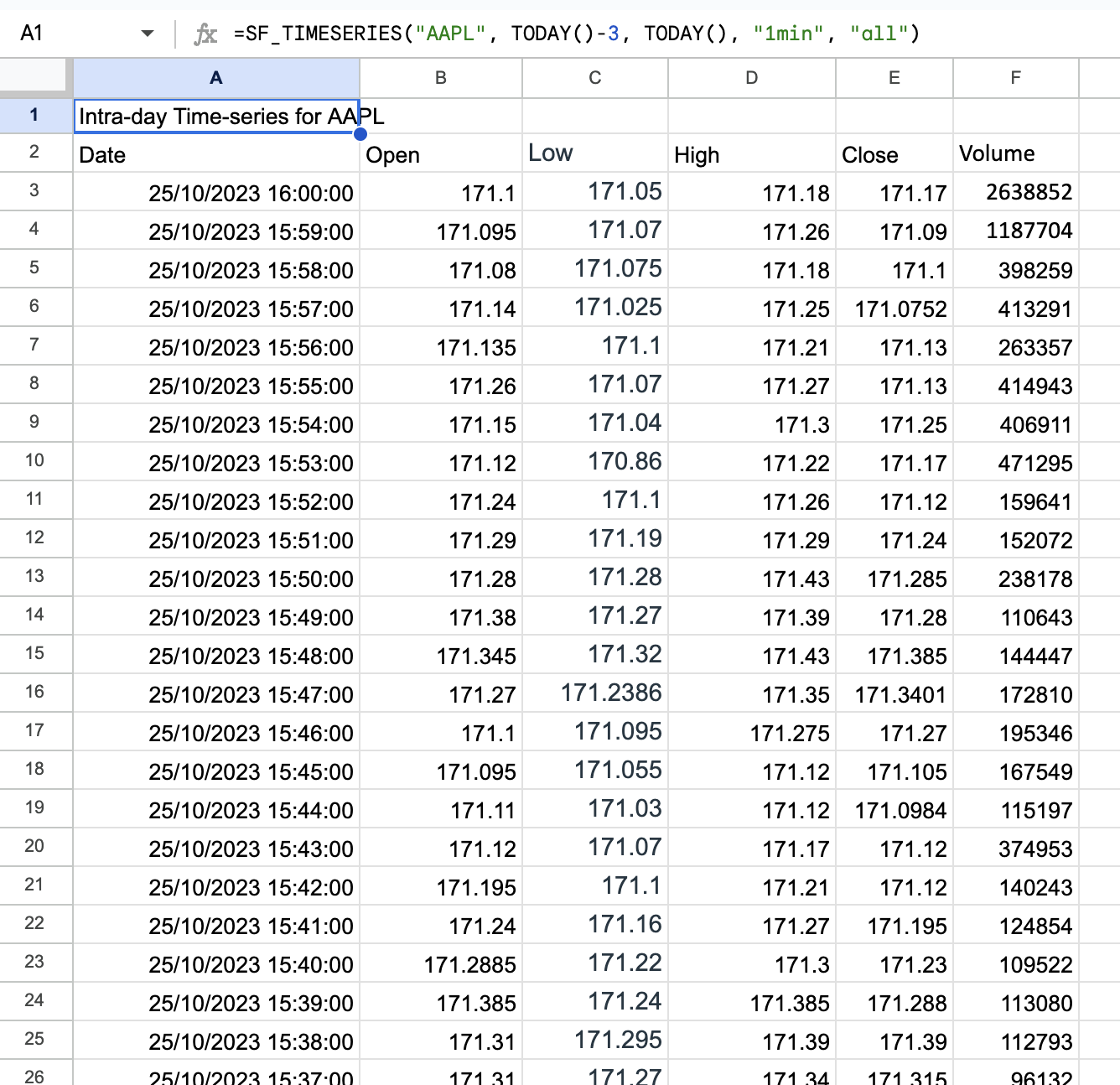
1 minute interval, last 3 days
=SF_TIMESERIES("AAPL", TODAY()-3, TODAY(), "1min", "all")1 hour interval, specific metrics
=SF_TIMESERIES("AAPL", "2023-01-01", "2023-03-01", "1hour", "date&open&close&volume")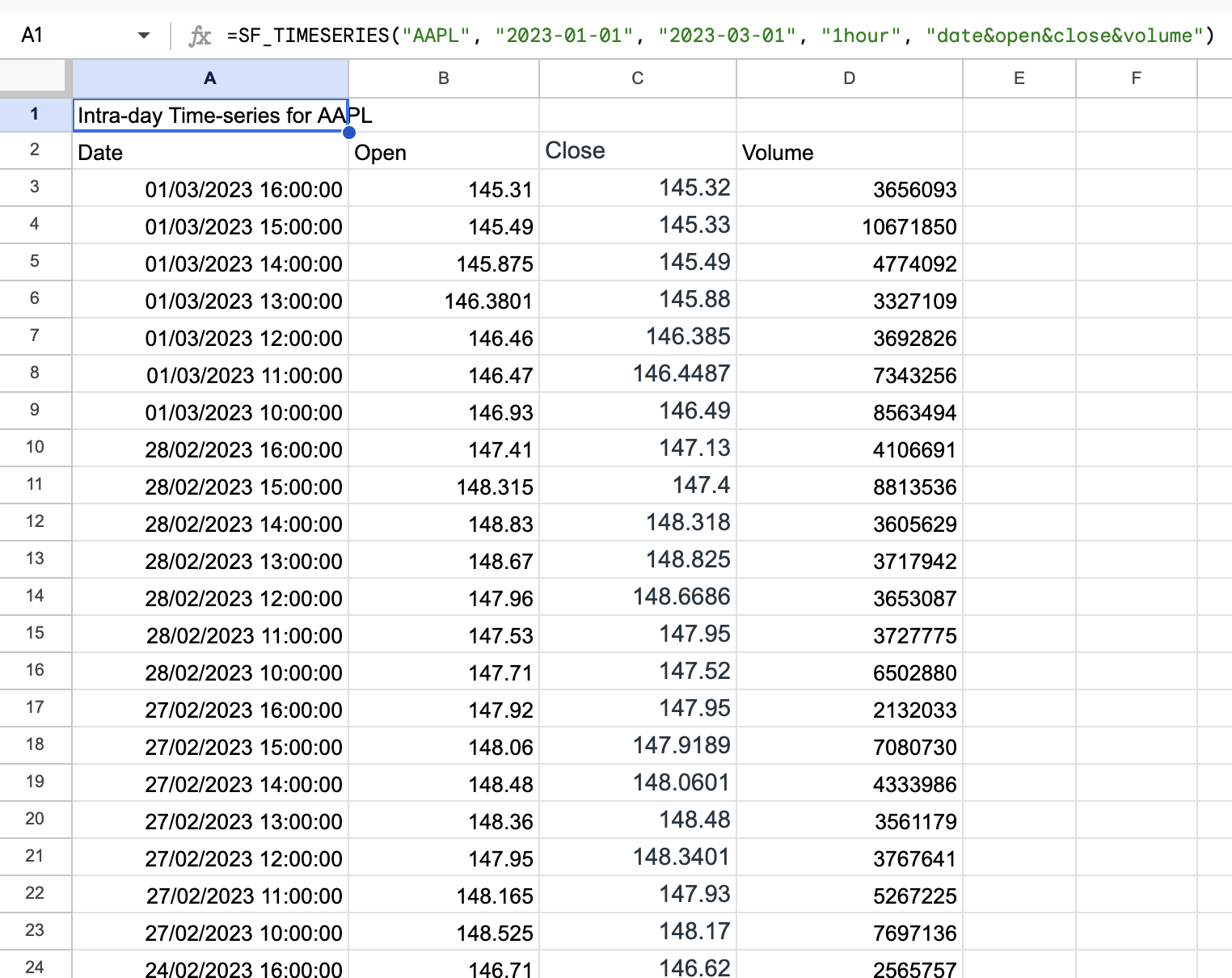
5 minute interval, last 2 weeks, no header and reversed
=SF_TIMESERIES("AAPL", TODAY()-14, TODAY(), "5min", "date&open&close&volume", "-&NH")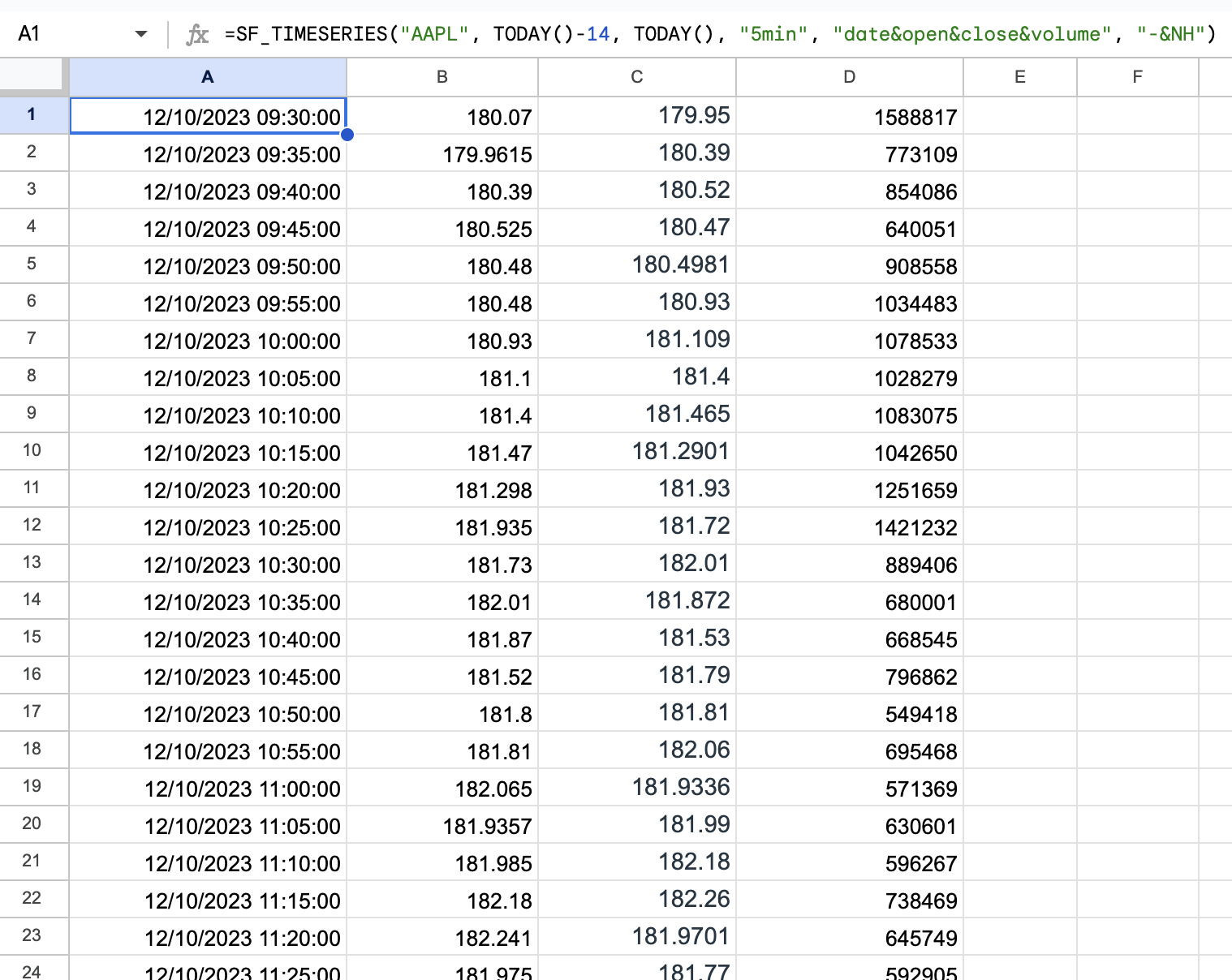
Sheet space: This function returns multiple rows. If any cell in the target range already contains data, you will see a #REF! error: "Array result was not expanded because it would overwrite data in XX". Clear the area before entering the function.