
News Feeds Batch
The batch functionality of the SF_NEWS() function allows you to lookup multiple stock, crypto, or FOREX/commodities symbols at once. This is useful when you want to pull news for a collection of symbols and display them in a single output. The function layout is the same as the single symbol function, but the symbol(s) argument is a range of cells containing the ticker symbols. For more specific information on how to use the SF_NEWS() function, see the News Feed - Stocks, Crypto and FOREX/Commodities documentation.
=SF_NEWS(symbols, type, limit, metrics, site, startDate, endDate, options)Important: Limiting is applied before filtering and articles are returned based on most recent published date. Therefore if you limit to 10 articles and call multiple symbols you may not get an article for each symbol if that symbol does not have as recent news as others. To ensure you get articles for all symbols you can increase the limit or remove symbols with a high frequency of news articles.
Examples
Example 1 - Display latest 10 articles for multiple stocks
=SF_NEWS(A1:A5)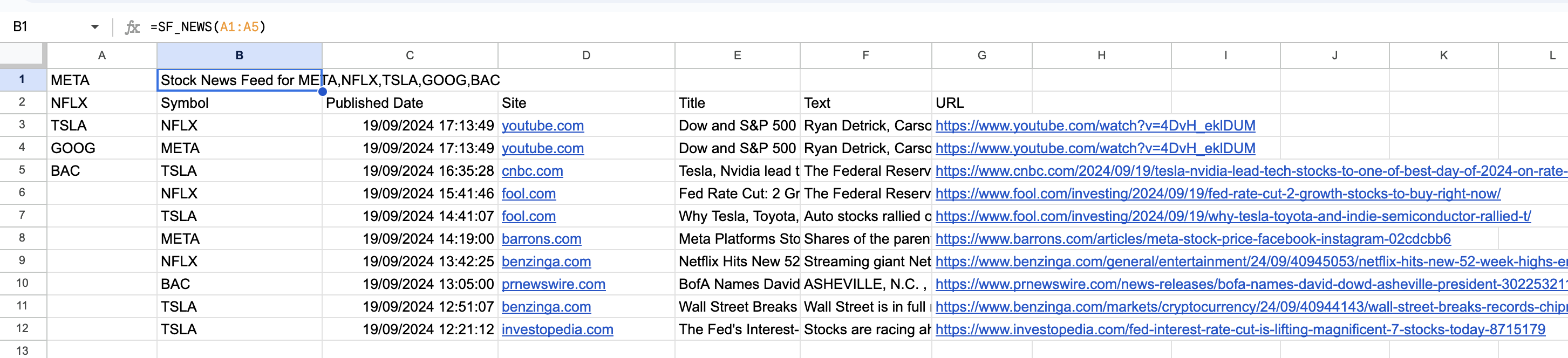
Example 2 - Display latest 10 articles for multiple cryptocurrencies
=SF_NEWS(A1:A5, "crypto")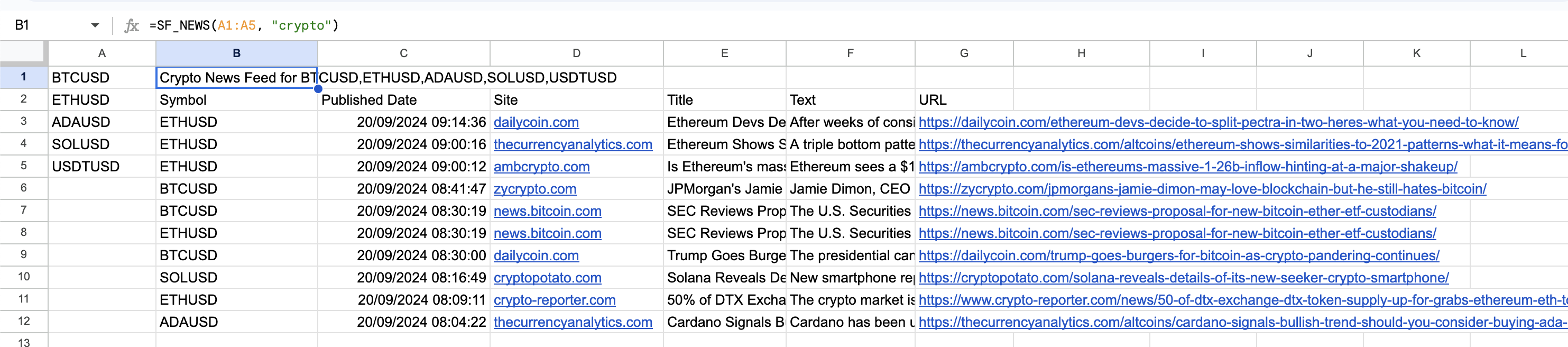
Example 3 - Display latest 20 articles for multiple crypto with selected metrics
=SF_NEWS(A1:A5, "crypto", 20, "publishedDate&site&title&url")