Peers
The peers data type returns a group of companies that trade on the same exchange and are in the same sector.
The data is accessed through the SF() function with the following format:
=SF(symbol, "peers", metrics)symbolis the ticker symbol of the financial asset (e.g.,"AAPL"). You can use our Symbol Search to find the correct ticker symbol.metricsselects what metrics to display (see options below), display all metrics by using"all". Chain together as many metrics as you'd like using&, e.g.,"symbol&name&price&marketCap".
Tip: If the metrics are omitted this function will default to returning only a list of symbols. This is to ensure backward compatibility as part of the November 2025 update.
Metrics
The peers metrics options are:
All (
"all")Symbol (
"symbol")Name (
"name")Price (
"price")Market Cap (
"marketCap")
Examples
Example 1 - List of peer symbols
=SF("AAPL", "peers")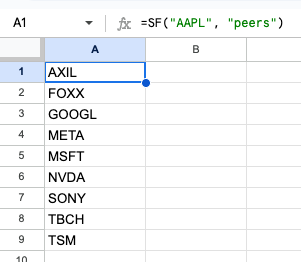
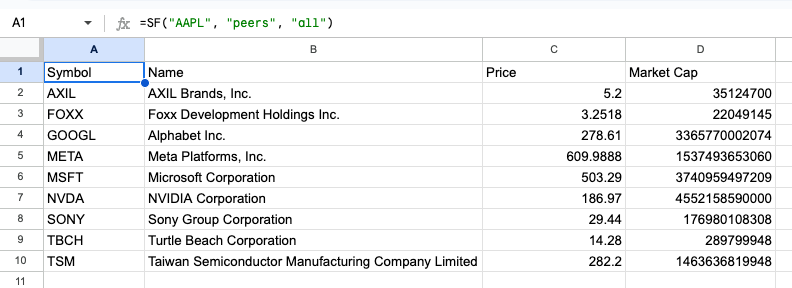
Example 2 - List of peer symbols with all metrics
=SF("AAPL", "peers", "all")