
Excel can't add sheets while the workbook is protected or a cell is being edited. Unprotect the workbook, press Enter or Esc to leave the cell, then try again.
Add a template in Excel
Add a template from the Template Library in the SheetsFinance add-in, either as a new workbook or as extra sheets in the workbook you have open, or download it from the Templates page. Only templates with an Excel version are available in Excel.
Before you start, install the SheetsFinance add-in and connect it to your account. See Microsoft Excel.
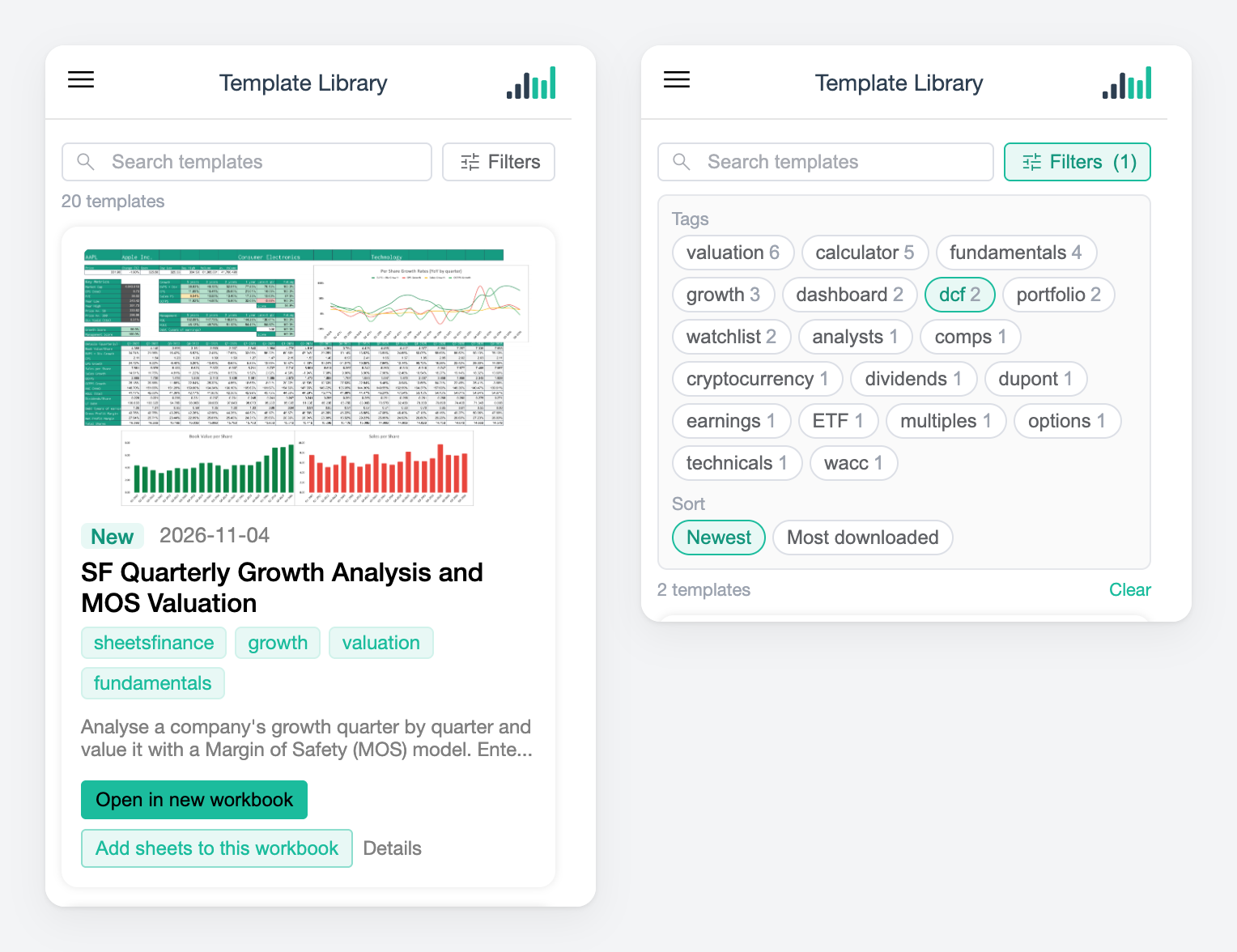
Add a template from the add-in
The Template Library lets you choose between a separate workbook and the one you're working in.
On the Home ribbon, click SheetsFinance to open the task pane.
Open the task pane menu and choose Template Library.
Find the template with the search box or Filters.
Click Open in new workbook, or Add sheets to this workbook to add the template's sheets after your existing sheets.
Sheet names that are already used in your workbook get a number, for example WACC (2), and the template's formulas point at the renamed sheet. A message lists any sheets that were renamed.
Older versions of Excel can't add sheets from an add-in, so they show only Open in new workbook.
Excel on the web
Excel on the web can't insert sheets that contain charts or comments, so the add-in adds the sheets first and then draws the charts and adds the comments back.
Charts are redrawn from the template's settings, so colours and spacing can differ slightly from the original.
Comments come back as notes, with the same text.
If a chart or note can't be added, the message says so. Use Open in new workbook to get the complete template.
Download a template
Download the workbook when you want a file to keep, share or open later.
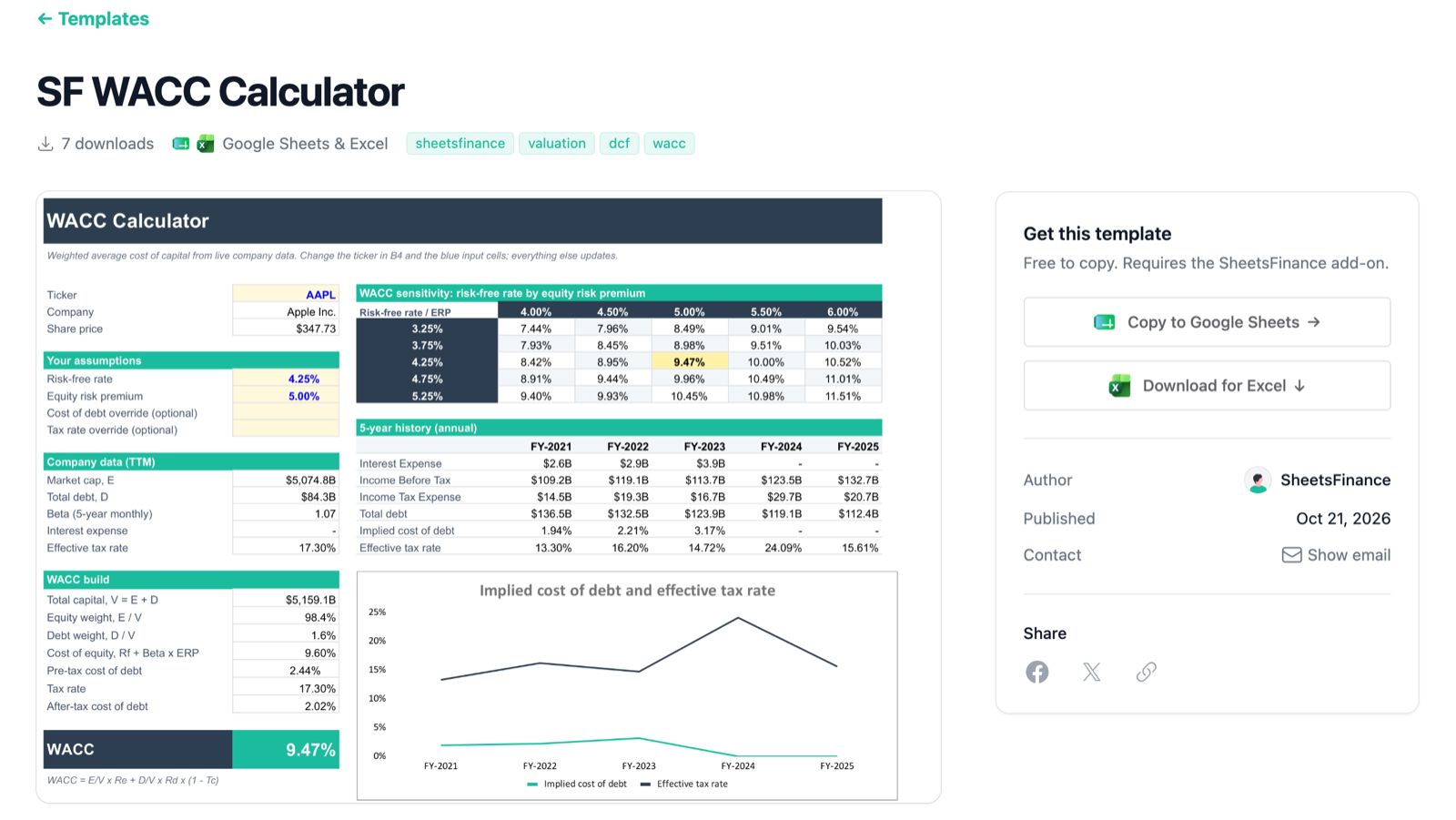
Open the template on the Templates page.
Click Download for Excel.
Open the downloaded workbook in Excel.
The workbook comes with SheetsFinance formulas in place and opens the SheetsFinance task pane. If the formulas show #NAME?, see Fix #NAME? errors in Excel and Google Sheets.
If adding sheets doesn't work
"Excel blocked adding sheets"
"Excel can't add this template's sheets to an existing workbook"
This version of Excel can't insert that template's sheets into another workbook. Use Open in new workbook instead.
"Could not download the template"
The add-in couldn't reach SheetsFinance to fetch the template. Check your connection and try again.
Was this helpful?
Was this helpful?